A brighter attraction with a demanding survival loop
Pokemon Survivor opens a different kind of attraction in the Frankie's Fun House archive. There is no office mystery to solve here: a partner enters a growing crowd of enemies, its selected move attacks automatically, and your movement decides whether the next upgrade arrives in time. The appeal comes from a clear rhythm of starting small, learning a pattern, and returning with a better idea. This is the local single-player edition of JPTER78's fan-made PokeSurvivor, supplied through Pokemon Survivor Wiki. It is not an official Pokemon release or the separate game Pokemon Survivor: Burst. Expect a survival arena with collection and progression rather than a traditional journey from town to town. The colourful presentation should not distract from the central task: keep enough room to make the next decision instead of letting the screen make it for you.
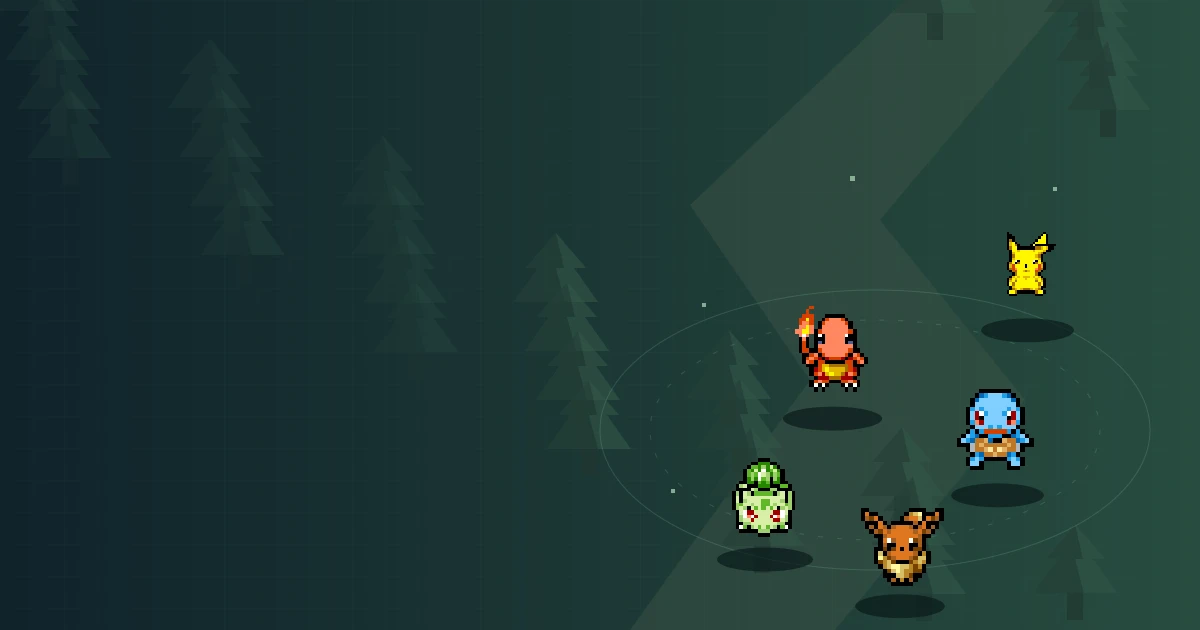
The source link opens the game website if embedding fails. This edition is solo; browser storage may be separate across portals. The launch cover is illustrated artwork.
Field note 01
Your first visit should be an orientation
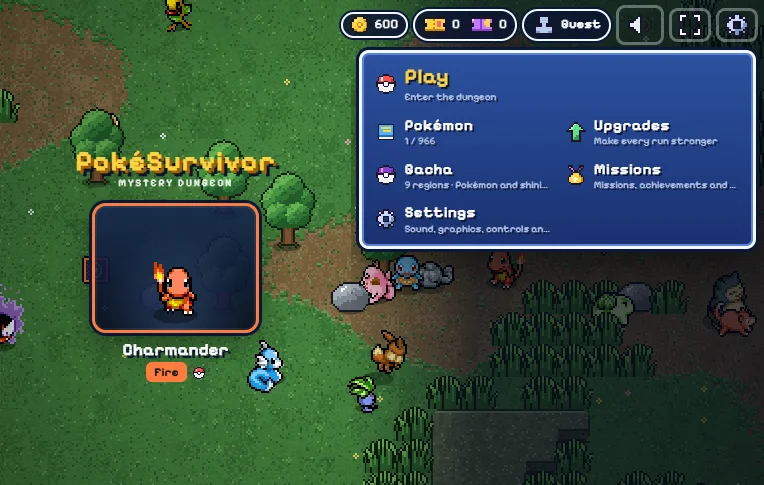
Use the Play button above to load the game, then let the initial resources arrive. Click or tap within the frame so it receives your input. On a fresh local save, the personality questions introduce the partner selection flow; the game also offers a way to choose another starting partner. Read the move information before rushing onward. Different partners have different starting attacks and legal move pools, so appearance is not the only difference. Do not worry if a familiar species is absent from this opening list. Pikachu and Eevee are collection unlocks in the documented edition, not automatic starter options. Your first visit can be short and useful without unlocking a favourite. Aim to recognise the movement controls, find the active move, and understand what happens when the first level-up menu appears.
The local game menu before starting a survival attempt. Reference interface; browser labels and client versions can differ.
Field note 02
The crowd is the challenge, not the click count
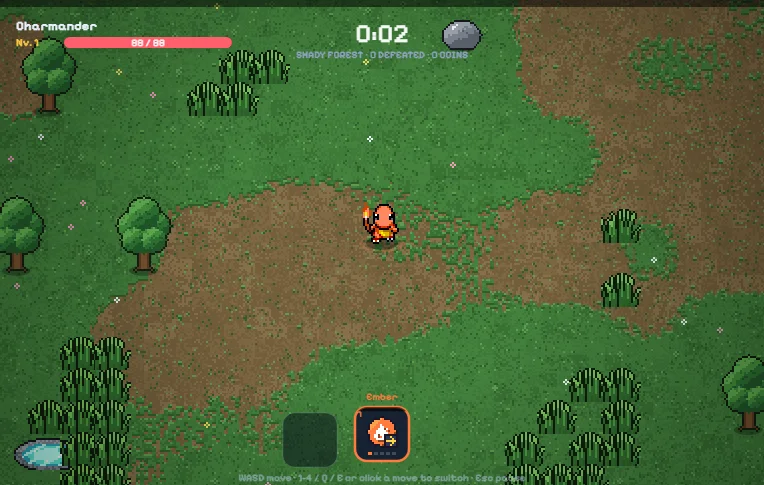
Automatic attacking removes the need to repeatedly press an attack button, but it does not make the run unattended. Steer with WASD or the arrow keys while watching where enemies and terrain leave usable space. Try to notice a closing route early, before a last-second turn becomes your only option. Experience pickups are tempting because they lead to visible improvement. Their position is still a question, not an instruction. If an item lies behind a group, find a safer approach or leave it temporarily instead of treating collection as mandatory at any cost. Think about where you will stand after reaching it. This small habit turns movement from a reaction into a plan. When an attempt ends quickly, examine the path that put you in danger before blaming the partner or searching for a supposedly unbeatable build.
Field note 03
Find the move that is actually performing
The move bar can hold several choices, but ordinary unbonded slots do not all attack at once. The selected slot is active. Keys 1 through 4 select directly, while Q and E cycle; on a touchscreen, tap the move icons. Watch the selected state and the attack pattern together. If you learn a new move but continue seeing the old attack, the first thing to check is selection. A move with a different range may ask you to stand differently, so switch while you still have room to test it. Later bonds can change combinations within a slot, but they are not the starting rule. Understanding the difference prevents a misleading impression that a four-slot collection must automatically produce four times the output. The extra slots provide decisions you must use, not a reason to stop observing.
The arena and move bar during a local single-player run. Reference interface; browser labels and client versions can differ.
Field note 04
Give every level-up a purpose
A card selection is easier when you identify what you need before reading the offers. Are you trying to develop the move you already use, add a different attack option, or obtain a stat card required for evolution? These are separate jobs. Increasing the character's level is not the same as increasing every learned move's level, and a new move does not automatically strengthen the old one. Read the offer rather than choosing by its visual novelty. A useful first experiment is to keep a move whose range feels comfortable and learn what its upgrades change. On a later attempt, compare that experience with a different option. The source's legal move pool follows the partner's types plus Normal moves. Do not assume that a favourite combination from a main-series game is available in this fan game's rules.
Field note 05
Evolution is not a surprise prize for waiting
For a move that has an evolution, reach its own level cap and take the matching run stat card. The documented examples include Ember needing Power and Bubble needing Sprint. A card taken earlier during the same run counts, but a permanent menu upgrade is not the same thing. Those distinctions explain many cases that otherwise look like a missing or broken evolution. Buff moves do not evolve in this release, and move evolution does not mean changing the species of the partner. Once a move is eligible, inspect the actual level-up offer. Several eligible moves can compete for the first available evolution position, so the condition does not promise that everything transforms simultaneously. Treat the system as a readable requirement rather than a hidden ritual requiring an invented sequence of clicks or a particular lucky minute.
Field note 06
A portal is an optional change of pace
Rifts and normal bosses should not be treated as interchangeable labels. A rift takes the run into a separate legendary arena, while an ordinary boss follows a different encounter flow. Seeing a boss is not a promise that a portal must appear immediately afterward. Before entering unfamiliar territory, consider your health and active move. You want to spend the encounter reacting to its warnings, not discovering which key changes attacks. Ground markers deserve attention even when an enemy is nearly defeated. A legendary victory can unlock a bond, introducing move combinations that need another careful read. The source documents a time limit for these arenas, but this page does not promise an effortless clear or rank untested starter choices. Preparation reduces avoidable confusion; it is not a guarantee that a difficult encounter will be won.
Field note 07
Make the return to the menu part of the game
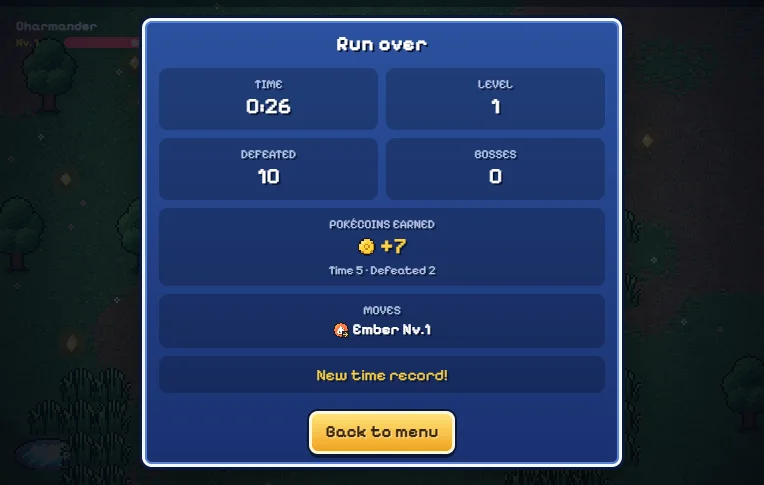
A run is not only the time spent dodging. Returning to the menu lets you inspect the persistent progression and collection that the local edition saves when browser storage is available. Separate those changes from the temporary cards and move levels inside the attempt. A permanent partner upgrade is managed outside the run and does not retroactively become a run-specific evolution card. The result screen is a useful pause for reflection: did you lose room, switch too late, or enter a challenge before understanding the attack? Pick one answer worth testing. There is no need to turn a short browser session into a spreadsheet. A single clear observation can make the next visit feel intentional. What the game does not save is a complete unfinished battle that you can resume after reloading the page.
The result interface after a local run. Reference interface; browser labels and client versions can differ.
Field note 08
Collect without confusing chance and certainty
Regional banners spend tickets earned through gameplay; this hosted local edition does not sell tickets. The pity counter belongs to each banner separately. Pulling in one region does not advance a combined counter across every other region. The documented seventy-count guarantee is for five-star rarity, not a particular species, and a five-star result resets that banner's counter. Ten-pull guarantees also concern rarity rather than a promised favourite. Keep those rules in mind before deciding that the system owes you an exact result. A collection can be enjoyable without treating each random outcome as evidence of a secret pattern. Review what became available and try a partner whose moves interest you. If a video starts with a large collection, remember that its player may have progressed much further or be using a different version.
Field note 09
Let the pictures and videos answer specific questions
The images in this guide show the local menu, an arena run, and the results interface. Their purpose is orientation, not decoration piled into a gallery. The launch cover is an illustration and should not be mistaken for a screenshot of the current map. The two videos below offer additional gameplay references, but recordings can differ in revision, progression, and online features. Watch with a question in mind: how is the player keeping an exit open, or when do they change the active slot? Pause to read an interface instead of trying to study it during your own battle. Do not copy a sequence of upgrades without checking that your partner can learn those moves. A useful reference makes your next decision clearer rather than replacing your attention with an unexplained recipe.
Field note 10
Keep your next visit in the same browser context
Local saving depends on browser storage, not an account on this portal. The game runs on a separate host, and browsers can partition its storage by the surrounding website. Progress from another portal, the main wiki, or a different browser profile may therefore not appear here. Avoid clearing site data to solve a small loading issue. Private browsing and blocked storage can also prevent persistence. If the frame stays blank, allow time for loading and use the linked source website for help; reloading a live run can end it. Mobile players can drag to move and tap slots, with landscape recommended for space. Fullscreen support and performance vary, so a desktop recording is not proof of identical phone behaviour. Use Esc or P, or the visible touch pause control, when you need to stop and read.
Field note 11
Leave with one plan
Before starting another run, choose one habit to test rather than changing the entire setup. You might switch earlier, approach experience from open ground, or read evolution requirements before selecting cards. A clear plan makes the next visit useful even if the result is not a personal best.
Pokemon Survivor gameplay videos
Reference recordings may show a different version or progression. This embedded edition is solo.
Practical questions
Before your next run
01Is this connected to Frankie's story?+
No. It is a separate survival game in the archive, not a chapter or ending of Frankie's Fun House.
02What should I learn first?+
Movement, the active move indicator and the level-up categories. A short practice attempt is enough to explore those without planning a full collection.
03Why does a newly learned move seem inactive?+
You may still have the previous slot selected. Use 1–4, Q/E or the touch move bar to select the move you want.
04Can I play with a friend inside this frame?+
This hosted edition is solo. It does not connect to the original game's cloud accounts, friends or lobbies.
05Do screenshots show the exact current build?+
They are local interface captures used for orientation. Hosted updates can change labels; the launch cover is artwork, not a map screenshot.
06Does closing the tab pause my run until tomorrow?+
No. Persistent collection saving does not restore an unfinished battle after the tab is closed or reloaded.
07Why are my Pokemon missing on another device?+
This edition uses local browser storage rather than cross-device cloud progression. Other devices and profiles have separate data.
08Should I buy tickets to catch up with a video?+
There is no ticket purchase system in this local edition. Tickets are earned in play, and a video's collection may come from a different save or version.
Fan-made PokeSurvivor by JPTER78. Pokemon assets belong to their respective owners. Game and sprite credits.