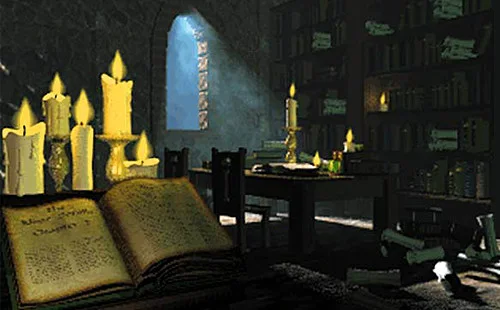
Daggerfall Online is the attraction for visitors who want to step beyond a short puzzle and stay for a full fantasy adventure. The browser client brings character creation, dungeon exploration, and online features into a very different kind of session. Before entering, prepare your game data and give yourself time to learn the controls.
If the embedded client is blocked, the source link above opens the original website. Original game files are required; this page does not supply them.
Field note 01
Choose this attraction for the right evening
Some games in the Fun House ask for a quick experiment. This one asks you to settle in. Daggerfall Online is a first-person role-playing experience where the opening work includes preparing files and creating a character before the world really opens up. If you have only a few spare minutes, use them to understand the requirements rather than racing through every menu. A useful first visit can end with a completed import and a clear understanding of what to do next. There is no need to turn setup into a speed challenge. The game is supplied by an independent browser project, not by the Fun House itself. Our page offers a launch area and a practical visitor's guide while the external client remains responsible for the adventure, account screens, and saving behaviour.
Field note 02
Pack your ticket before joining the queue
The essential preparation is access to the original Daggerfall data, particularly the complete ARENA2 folder. Think of that folder as the material the client needs to present the world, not as your character's progress. Keep a clean original copy in a known location and avoid renaming pieces because their purpose is unfamiliar. When the game asks for data, select the matching import method. A folder selection is appropriate when your browser supports choosing a directory; a suitable ZIP is the alternative shown by the source interface. An installer or a random executable is not a substitute for the requested data. If you are unsure what you possess, resolve that before repeated upload attempts. You should not need to follow an unrelated download advertisement to continue through this guide.
Field note 03
Learn the two doors on the import screen
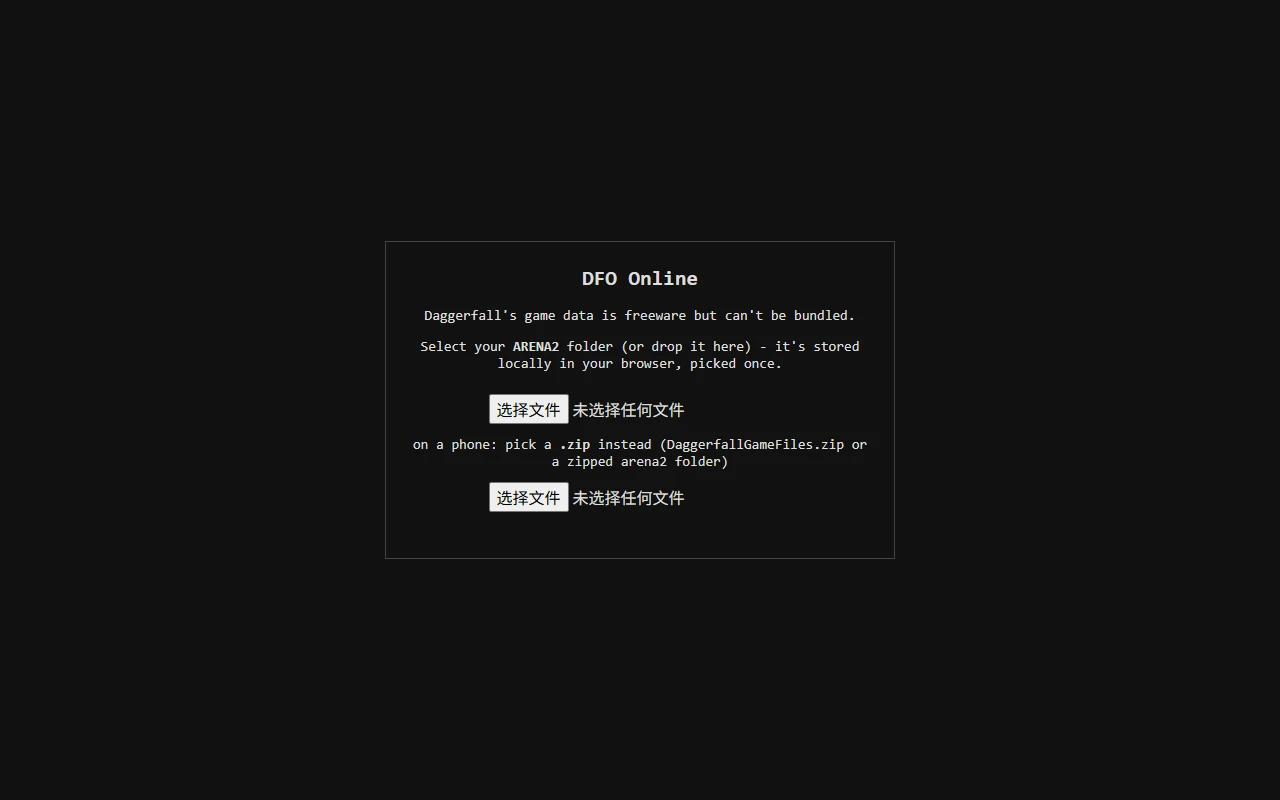
The screenshot below is a useful orientation point: one control accepts a directory and another accepts an archive. They are alternatives, not two mandatory stages that everyone must complete. Button wording may follow your browser's language, so identify what a control selects instead of matching its label letter for letter. A directory prompt can mention a large number of files. Confirm that the directory is correct and then let the client process it. Constantly refreshing during this step can interrupt work and make a slow import look like a permanent failure. If the importer returns on a later visit, check the browsing context. Private windows, a different profile, cleared site storage, or a different parent website can change which saved data is available. Do not immediately conclude that every file must be downloaded again.
Daggerfall Online file importer offering folder and archive selection. Reference interface; browser labels and client versions can differ.
Field note 04
Give your character a readable identity
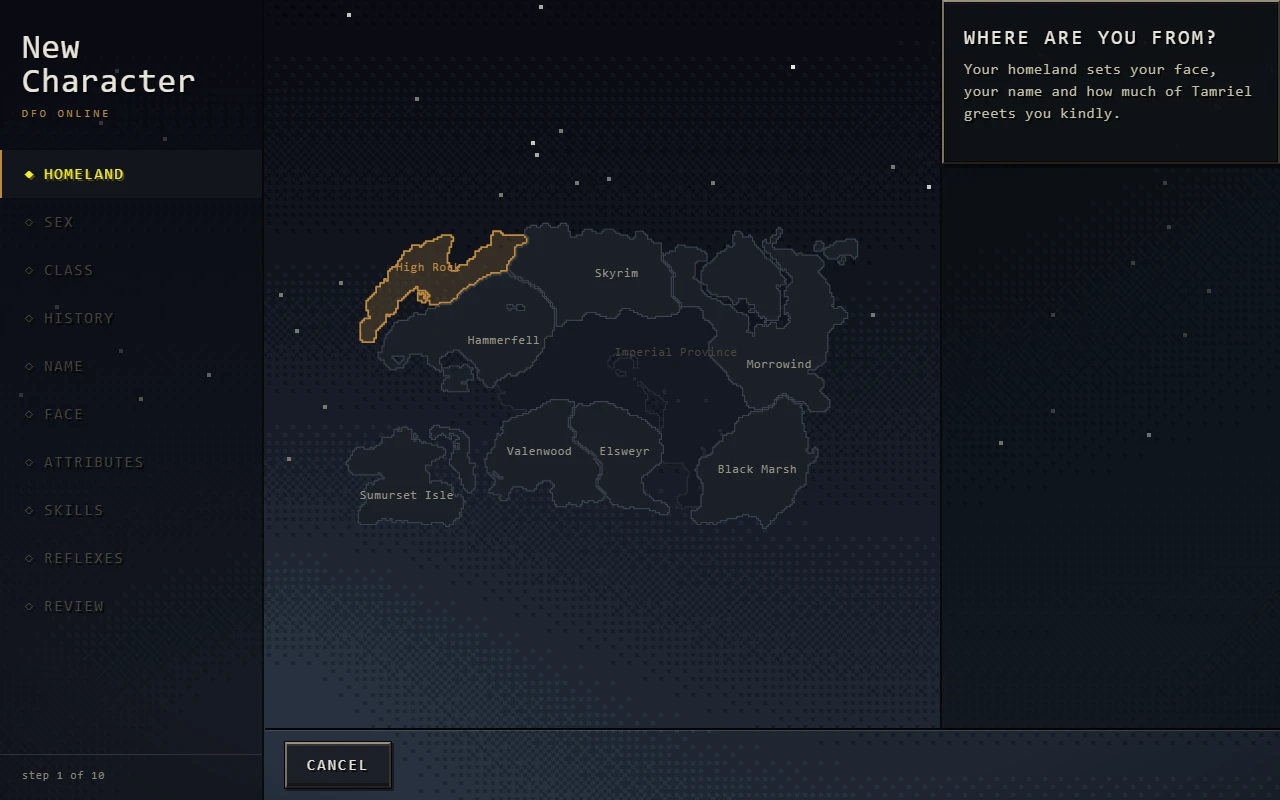
Character creation gives you decisions worth reading. Rather than chasing an unverified perfect build, make choices you understand and keep track of the kind of character you are trying to play. A complicated setup is not automatically a stronger introduction. The Homeland screen shown here is one part of the sequence; keep following the live interface until it actually finishes creation. If you want to join the online experience, follow the client's online character path. Existing offline characters may face eligibility requirements when being brought online, and the source guide describes refusals that should be respected. Start a separate character when appropriate instead of experimenting destructively with an existing save. This page is not a database editor and does not bypass those checks. Your first goal is a character you can control and preserve, not a collection of promises about optimal statistics.
Homeland choices during Daggerfall character creation. Reference interface; browser labels and client versions can differ.
Field note 05
Rehearse the controls before the main act
Take a quiet moment to learn where input goes. Clicking inside the frame gives the game focus, while clicking the surrounding guide can send later key presses to the page instead. The documented defaults use WASD to move, Shift to run, and Space to jump. Practise a short movement and a controlled turn before doing both under pressure. Combat also has a detail that catches new visitors: Z draws the weapon, and the default gesture attack uses right-button mouse movement. Simply tapping the button is not the same gesture. If that description does not match what happens, inspect your current bindings before assuming the client is broken. Changed settings can legitimately produce different behaviour. Once you can move, stop, and dismiss a menu deliberately, the world becomes much easier to read.
Field note 06
Treat the first dungeon like an unfamiliar building
A useful exploration habit is to remember the last place you could confidently recognise. Pick a distinctive room or junction, investigate one direction, and return when the route stops making sense. Several hurried guesses in a row create a much harder problem than one wrong turn. The map helps organise what you have seen, but a partially explored image is not enough for someone to promise you an exact exit route. Watch doors, vertical changes, and connecting passages as you move. Separate the local map from the larger travel view rather than expecting one screen to answer every navigation question. Most importantly, do not disappear into a panel while danger is nearby. Online play should not be assumed to pause because a menu has opened. Deal with your immediate surroundings before studying the building.
Field note 07
Invite a friend without skipping the checks
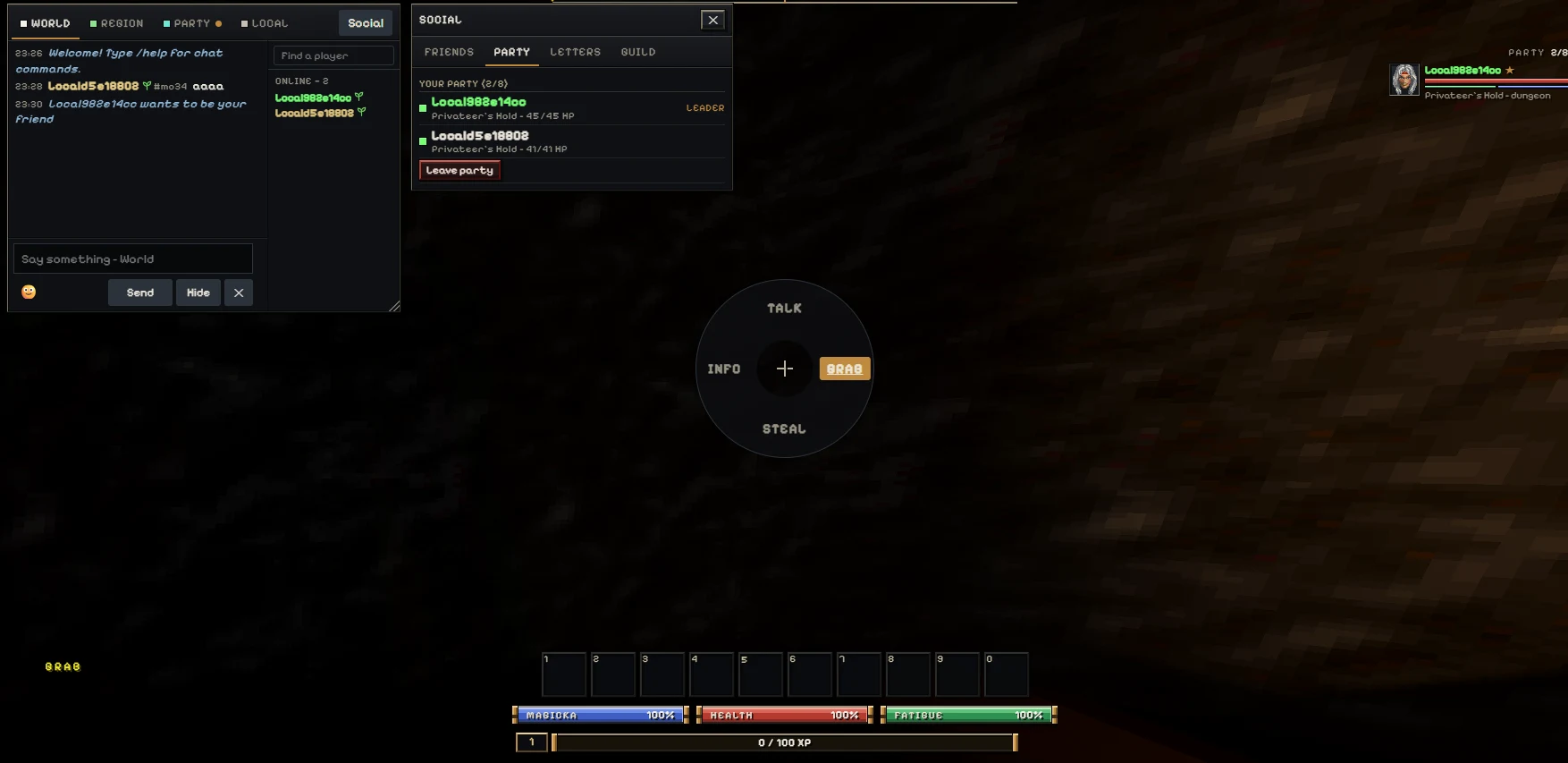
A party visit needs more than two names visible somewhere on the interface. Start with separate accounts and characters on the intended service. Exchange a message and a reply so both people know communication is working. Send the party invitation, accept it, and confirm the resulting membership. Then agree on a place to meet. These are separate checkpoints, and completing one does not prove the others. The introductory Privateer's Hold space is described by the source guide as solo, so do not expect an invitation to turn it into a shared room. Complete that introduction and choose a matching outdoor landmark. The screenshot shows what a party panel can look like; it is not a guarantee of current service availability. When something fails, naming the checkpoint makes troubleshooting far less confusing.
Daggerfall Online social panel with a two-member party. Reference interface; browser labels and client versions can differ.
Field note 08
Know which belongings you are leaving behind
Original assets, local progress, and account information are not interchangeable. The data folder lets the client build the experience, but keeping that folder does not by itself back up a character. Likewise, being signed in does not prove that every recent action has been saved. Read the client's save status and use its intended exit procedure before closing a long session. If a browser problem appears, avoid clearing all site storage as a casual first step. It may contain something you want to keep. Prefer reversible checks, and use supported export or backup features when available rather than inventing your own file surgery. A screenshot can record an error or a character name, but it cannot recreate missing progress. Take a little care at the exit and the next visit becomes a much calmer start.
Field note 09
Pick a seat with enough room
Detailed maps and inventories benefit from a larger display. Fullscreen can make the embedded game easier to read, although the browser decides whether that request is allowed. If it refuses, continue in the normal frame or use the link to the source website. Remember how to leave fullscreen before settling into the interface. The source project includes touch controls, but a phone still has practical constraints: file selection, precise input, and dense panels can be more demanding on a small screen. Try landscape orientation if it helps, and keep expectations tied to the device you actually have. A desktop keyboard and mouse are a reasonable first setup. If input stops responding, check focus and open overlays before restarting. Restarting a session unnecessarily can create more uncertainty than the original control problem.
Field note 10
Understand a closed entrance
Sometimes the surrounding page loads while the game frame displays an access guide. That can happen because the external game host checks which websites may embed it. A newly added page needs its domain allowed in the deployed host configuration; changing the visitor-facing description alone cannot grant access. The first-paragraph source link provides a direct alternative while an embedding issue is addressed. Network filtering can also prevent an external client from loading, so record the actual message instead of assuming every blank area has the same cause. Do not disable browser protections indiscriminately. Switching from an embedded view to the source website can change the storage context as well, so confirm your save situation rather than expecting automatic continuity. The guide can explain this boundary, but it cannot repair the remote service from your browser.
Field note 11
Leave with a plan for the return visit
A good stopping point is one you can describe: the import worked, the character exists, a control was learned, or the next destination is clear. Write down the question that remains instead of changing several settings just before leaving. On the next visit, tackle that question first. This keeps a large RPG from becoming a pile of half-finished experiments. You can still return to Frankie's shorter attractions when you want a different pace; Daggerfall is an optional long-form adventure, not a replacement for the Fun House's puzzle identity. Explore patiently, separate interface problems from in-world decisions, and judge progress by what you can repeat confidently. Once preparation and saving feel routine, more of your attention is available for the interesting part: choosing what to investigate and how your character will approach it.
Practical questions
Before you enter the world
01Is Daggerfall another short Fun House puzzle?+
No. It is a first-person fantasy RPG with a longer setup and exploration loop. Choose it when you have time for character creation and learning.
02Do I need both the folder picker and ZIP picker?+
No. They are alternative import methods. Choose the one that matches your complete original ARENA2 data and browser support.
03Can I skip importing original game data?+
The client requires that data. This page provides a browser frame and guide, not the original asset package.
04Why does clicking fail to attack?+
With the documented defaults, draw the weapon using Z and use right-button mouse movement for a gesture swing. Check your active bindings if they differ.
05Why is my friend not standing beside me?+
Confirm connection, chat, party membership, and location separately. The starting introduction is solo; meet after both players reach a shared outdoor area.
06Is my saved game shared with the source website?+
Do not assume that. Browser storage may be separated by the embedding context. Check the client's save behaviour before switching views.
07What should I include in a loading report?+
Include your browser, device, visible error, and whether the failure happened at frame access, file import, character creation, or entering the world. Do not include passwords.
08Does Install App make this game fully offline?+
Installing the surrounding website is not proof that the externally hosted game or its online services work offline. Keep network access available.